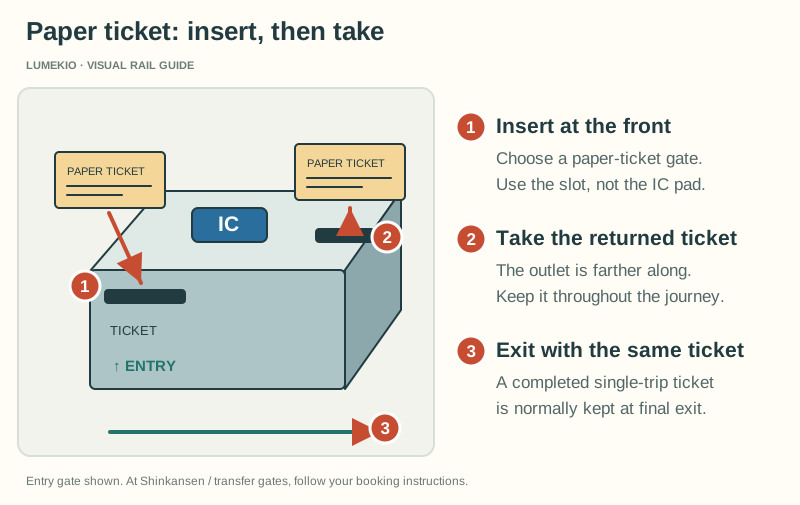
Insert at the front Choose a paper-ticket gate. Use the slot, not the IC pad.
Take the returned ticket The outlet is farther along. Keep it throughout the journey.
Exit with the same ticket A completed single-trip ticket is normally kept at final exit.
Paper tickets
Collect all required tickets before going to the gate. Where base-fare and express tickets are separate, follow the gate instructions for inserting them together. Keep tickets returned by the gate.
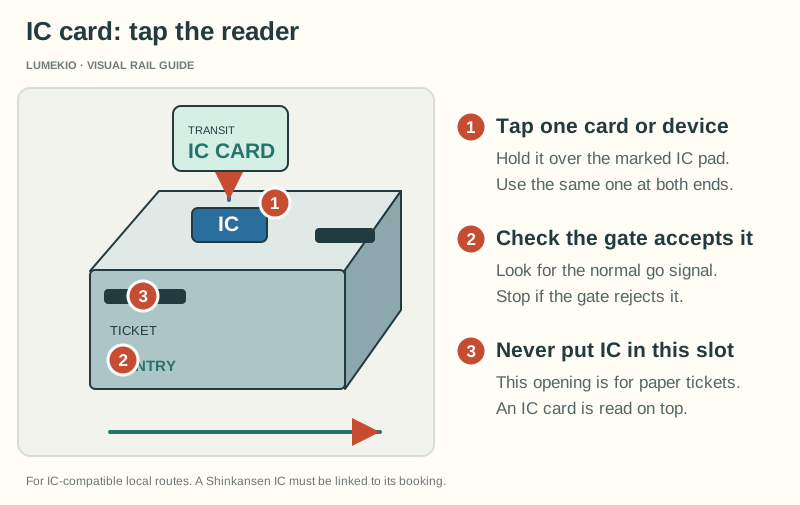
Tap one card or device Hold it over the marked IC pad. Use the same one at both ends.
Check the gate accepts it Look for the normal go signal. Stop if the gate rejects it.
Never put IC in this slot This opening is for paper tickets. An IC card is read on top.
Linked IC card
Register the IC card for the SmartEX reservation before travel, then touch that card at the gate. The Shinkansen booking is paid separately, not from the card’s stored balance.
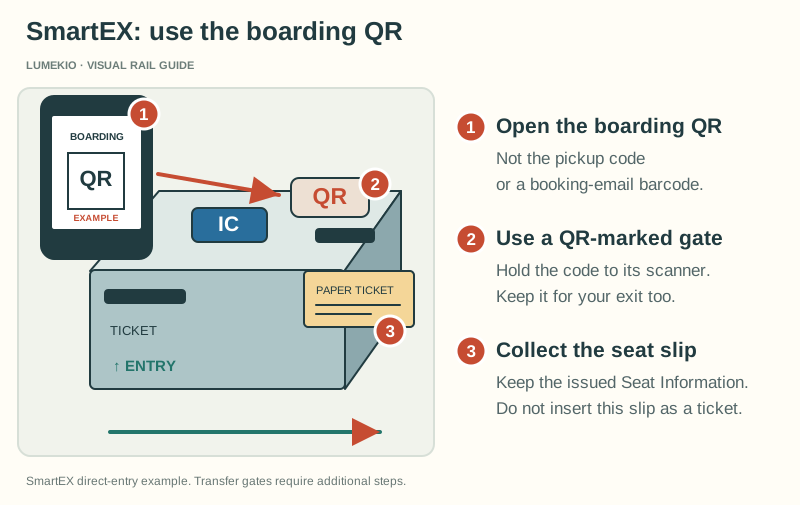
Open the boarding QR Not the pickup code or a booking-email barcode.
Use a QR-marked gate Hold the code to its scanner. Keep it for your exit too.
Collect the seat slip Keep the issued Seat Information. Do not insert this slip as a ticket.
Boarding QR-Ticket
Use your SmartEX boarding QR at a gate marked QR. Keep it for exit too. A ticket pickup code or booking email is not automatically a boarding QR.
Keep the seat-information slip. SmartEX IC/QR entry issues a slip to collect. It is not a ticket to insert at the gate. At a transfer gate, the order of paper tickets, QR scanning and IC touches depends on how you rode the local line; use the official instructions below or ask staff.
Boarding instructions checked September 24, 2026. Drawings explain the controls; actual equipment varies. Open any diagram for a larger view.
The luggage rule first-time visitors miss
On the Tokaido–Sanyo–Kyushu Shinkansen, JR Central says baggage with total dimensions over 160 cm and up to 250 cm requires a reservation for a seat with an oversized baggage area. If oversized baggage is brought without the required reservation, a ¥1,000 fee can apply.
Lumekio uses local browser storage for language and interface preferences. Analytics and marketing cookies should only be enabled with an appropriate privacy setup.

 Open full-size diagram ↗