Suica vs PASMO Explained
What visitors really need to know about IC cards.
THE VISUAL QUICK GUIDE
Follow the numbered callouts in each drawing. Open a full-size diagram to inspect the controls on a phone.
Touch in. Ride. Touch out.
For an ordinary local rail journey on an IC-compatible route, use the same card or device at both ends.
- 01
 Open full-size diagram ↗
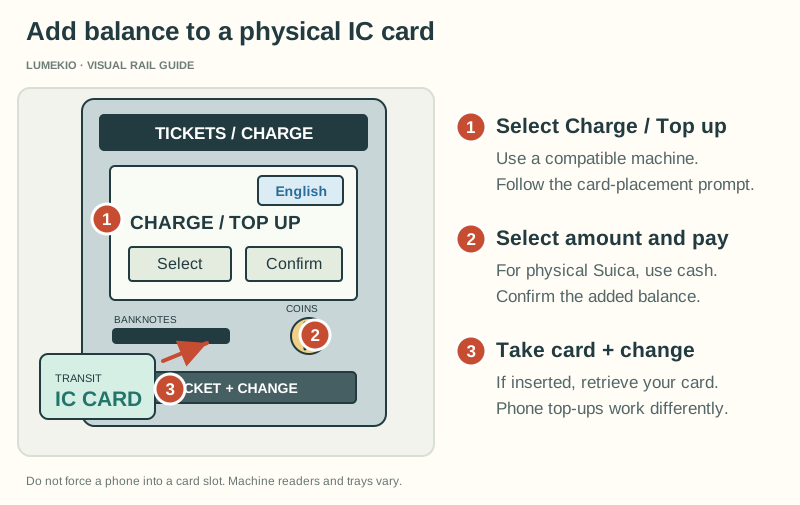
- Select Charge / Top up
Use a compatible machine. Follow the card-placement prompt. - Select amount and pay
For physical Suica, use cash. Confirm the added balance. - Take card + change
If inserted, retrieve your card. Phone top-ups work differently.
Check and top up
Check your balance. Physical Suica cards can be topped up with cash at compatible machines; choose Charge and follow the prompts.
- Select Charge / Top up
- 02
 Open full-size diagram ↗
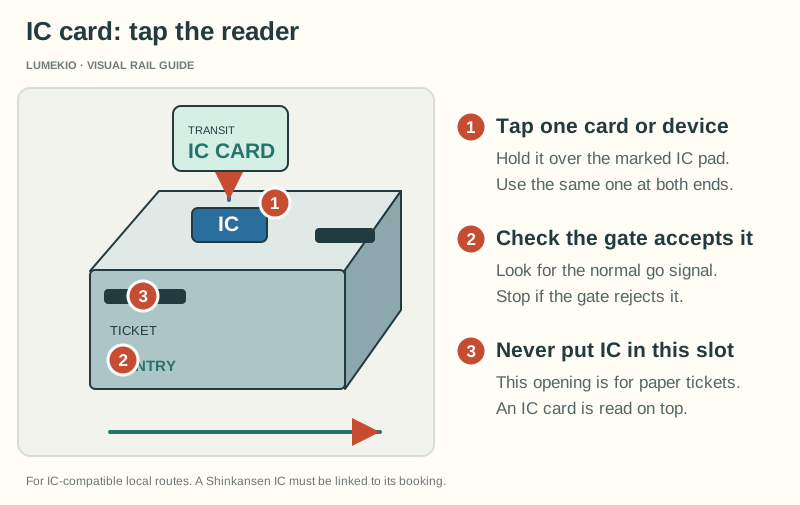
- Tap one card or device
Hold it over the marked IC pad. Use the same one at both ends. - Check the gate accepts it
Look for the normal go signal. Stop if the gate rejects it. - Never put IC in this slot
This opening is for paper tickets. An IC card is read on top.
Touch to enter
Touch one card or device to the reader and check that the gate accepts it. Do not insert an IC card into the paper-ticket slot.
- Tap one card or device
- 03Open full-size diagram ↗
- Tap one card or device
Hold it over the marked IC pad. Use the same one at both ends. - Check the gate accepts it
Look for the normal go signal. Stop if the gate rejects it. - Never put IC in this slot
This opening is for paper tickets. An IC card is read on top.
Touch to exit
Use the same card or device at your destination. The journey fare is calculated automatically.
- Tap one card or device
- 04
 Open full-size diagram ↗
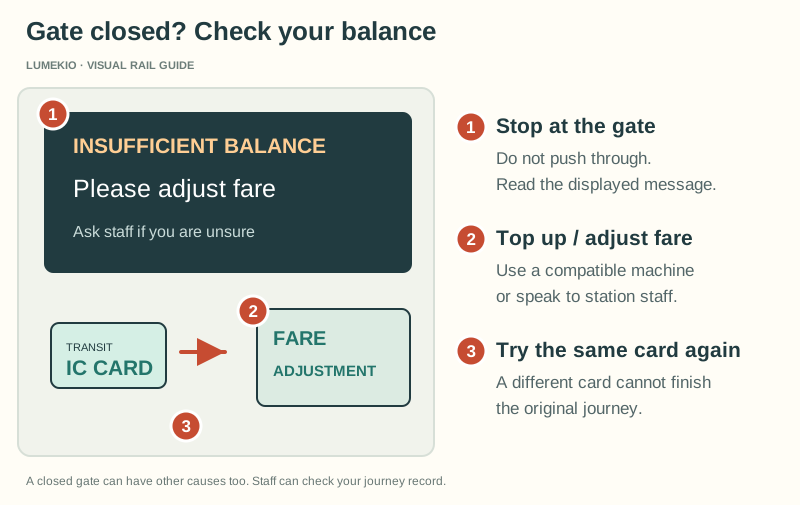
- Stop at the gate
Do not push through. Read the displayed message. - Top up / adjust fare
Use a compatible machine or speak to station staff. - Try the same card again
A different card cannot finish the original journey.
Low balance? Stop here
Use a compatible top-up or fare-adjustment machine, or ask staff. Top up before trying the exit again.
- Stop at the gate
Know the limits
- Check your route: IC acceptance is not universal, and travel across separate IC service areas may require a paper ticket.
- Limited-express trains and special seats can require an extra ticket.
- An ordinary IC balance is not a general Shinkansen ticket. Follow the reservation service’s specific boarding instructions.
- Mobile card top-ups differ from physical-card top-ups. For PASMO on Apple Pay, use Wallet and a supported payment card.
Official instructions
What matters more than the logo
For visitors, the practical question is whether the IC card works on the operator and route you are using. JNTO notes that Suica/PASMO can also be used at many convenience stores and participating shops, though not everywhere.